
Common Vrbo errors when creating a new listing: a new series brought to you by many hours of troubleshooting.
When pushing a new unit live to Vrbo, it is easy to set it on a "Pay-per-booking" Plan if it is stuck in Unassigned mode.
- Log in to the correct Vrbo dashboard for the home - AMI or SK.
- Go to Dashboard or My properties and use the Filters dropdown to select "Incomplete".
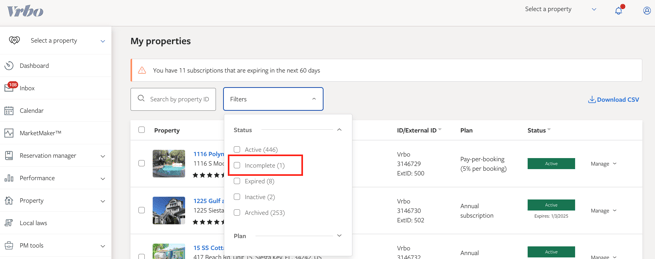
- You will then see any Units with an "Unassigned" Plan.
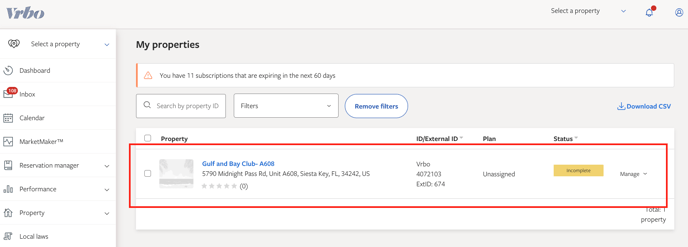
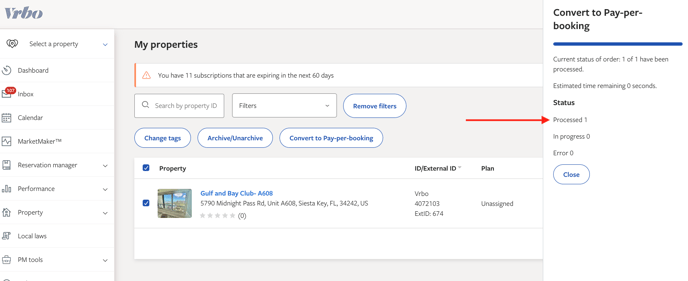
- Select the check box next to this property (you can also select multiple Units at once, check as many as applies).
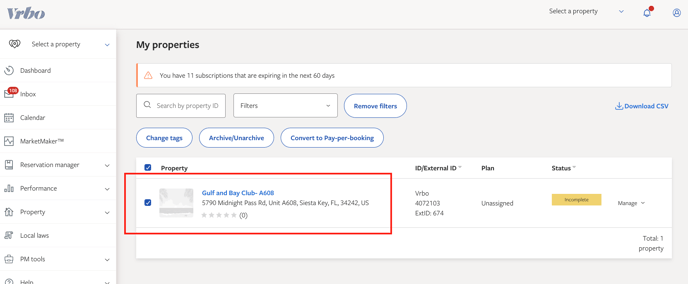
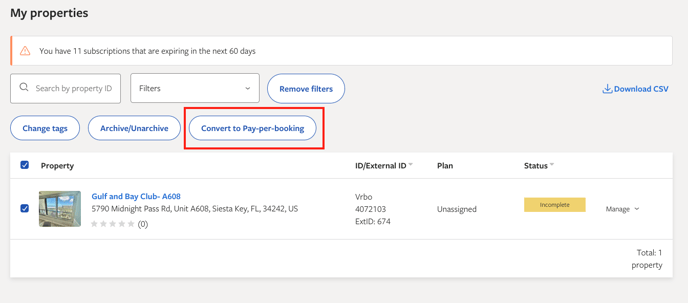
- Click the button that appears once a Unit is selected - "Convert to Pay-per-booking".
- A side panel will pop out titled "Convert to Pay-per-booking." Click the button in this pop-out if you are ready to confirm that the Unit is Pay-per-booking.

- Check the progress results: Processed 1, In progress 0, Error 0. All looks good! Now click "Close".
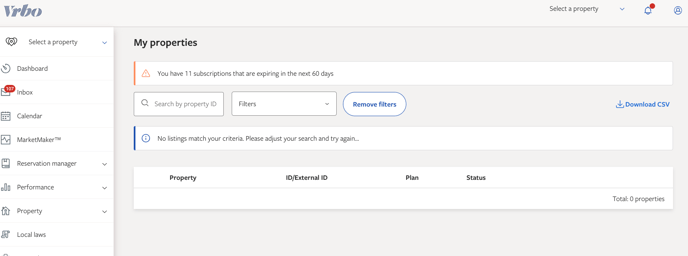
- Now your "Inactive" filtered dashboard should be empty.
- Do one final check to ensure it's live by searching for the unit name in the dropdown on the left-hand side of the My Properties page, selecting "Select a property," and clicking on it as a Traveler.
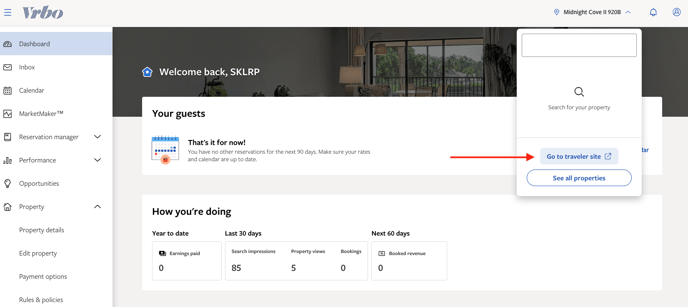
- Confirmed!
